
IMPORTANT! Please read BEFORE joining the Zoom Meeting

You will soon be joining the Open Day registration session via Zoom. Please make sure you install the Zoom app on your computer, tablet, or mobile phone before the meeting starts. You can download it free from the App Store, Google Play or zoom.us/download.
VERY IMPORTANT! To be admitted to the meeting and avoid technical problems, please follow these steps carefully:
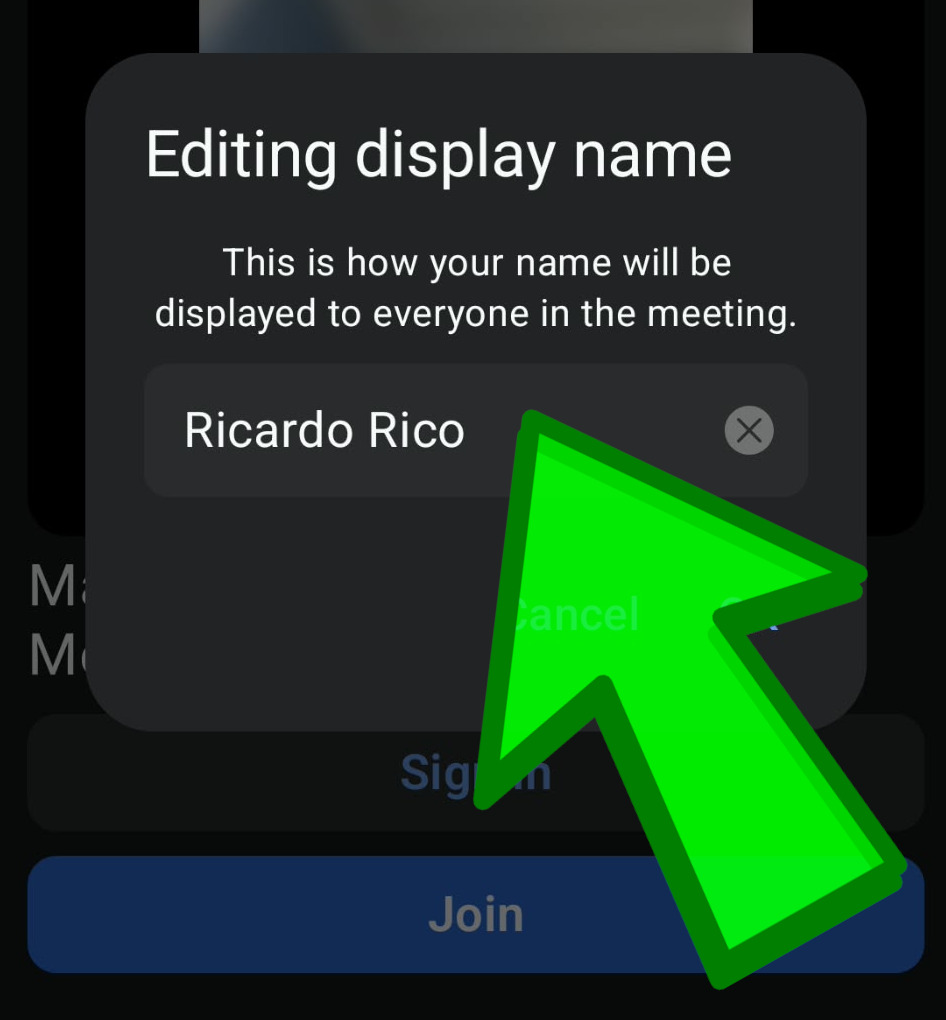
Step 1: Enter your Full Name
In the “Editing Display Name” field, you must enter your full first name and surname.
By default, Zoom may display only your initials, nickname, or phone number. We verify attendees by their full name, and participants without a full name may not be admitted from the Waiting Room.
Step 2: Click "Join", NOT "Sign In"
When opening Zoom, make sure you click “Join” and not “Sign In”.
The “Sign In” option is intended for teachers and meeting hosts. Students and attendees should simply select “Join”.

Following these steps will help ensure a smooth and successful connection to the Open Day session. We look forward to seeing you there!
More guides

English course “Functional Skills” — basic information
Thank you for your interest in the free English course "Functional Skills". This course is for individuals who are at least 19 years old…
View guide
Who can get FREE Functional Skills courses in the UK?
You had questions about free courses. Here is a short info. Functional Skills courses in the UK are free for many groups of learners.
View guide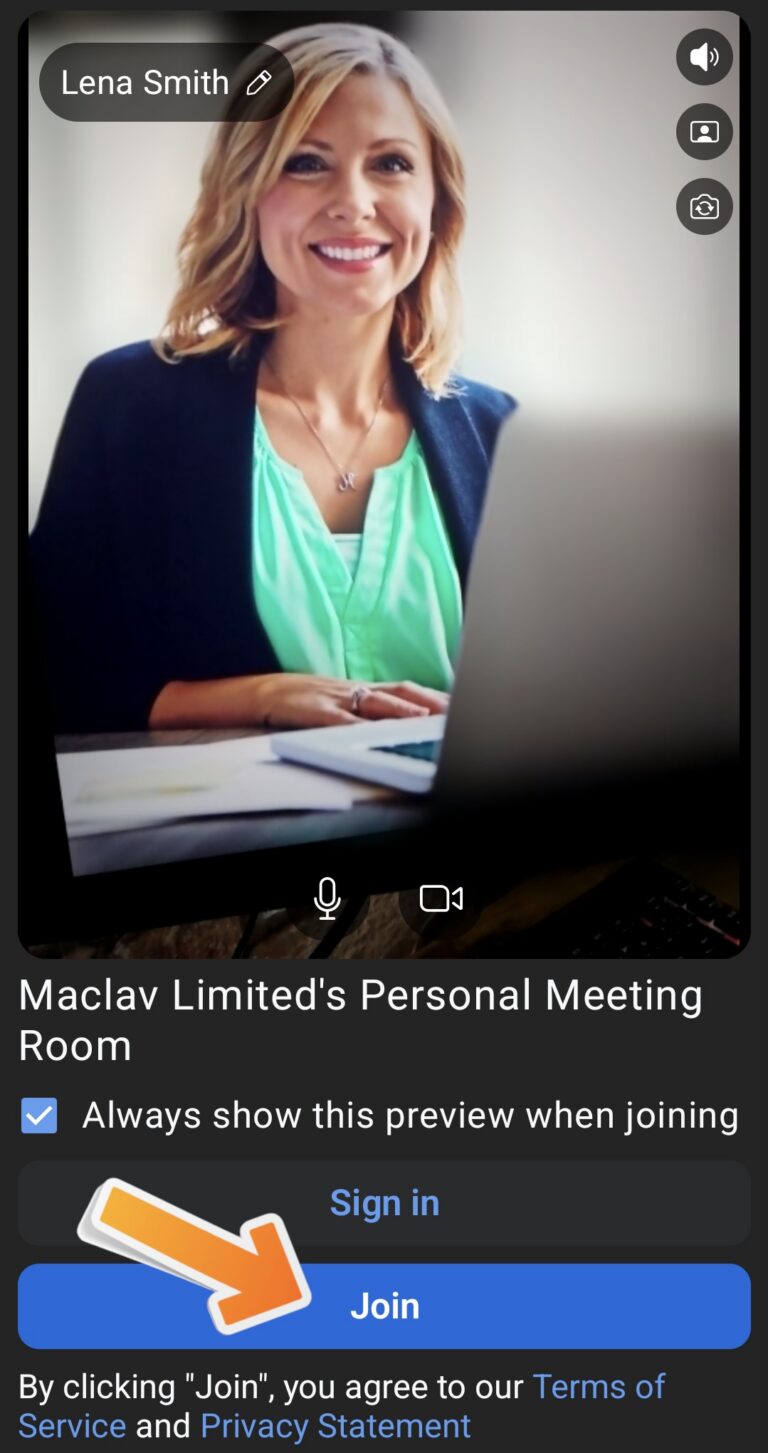
Problem connecting to Zoom — “Black Screen”
Help for students who see a black screen when trying to connect to Zoom for their Open Day or class session.
View guide